Wedding / Engagement
Rose Garden
Blush garden roses part to reveal an arched walk and your names beneath it.

The reply form is part of the invitation. Guests answer without calling anyone, and you see every response, with headcounts, in one place.
Tap Preview to open any design with sample names. Customizing is free; every design is the same price.
Wedding / Engagement
Blush garden roses part to reveal an arched walk and your names beneath it.
Engagement / Wedding
A blush satin bow tied across the card. Pull it loose and the invitation is yours.
Reception / Wedding
An opera house after dark. The lights go down, a spotlight finds the stage and the velvet curtain parts on your names.
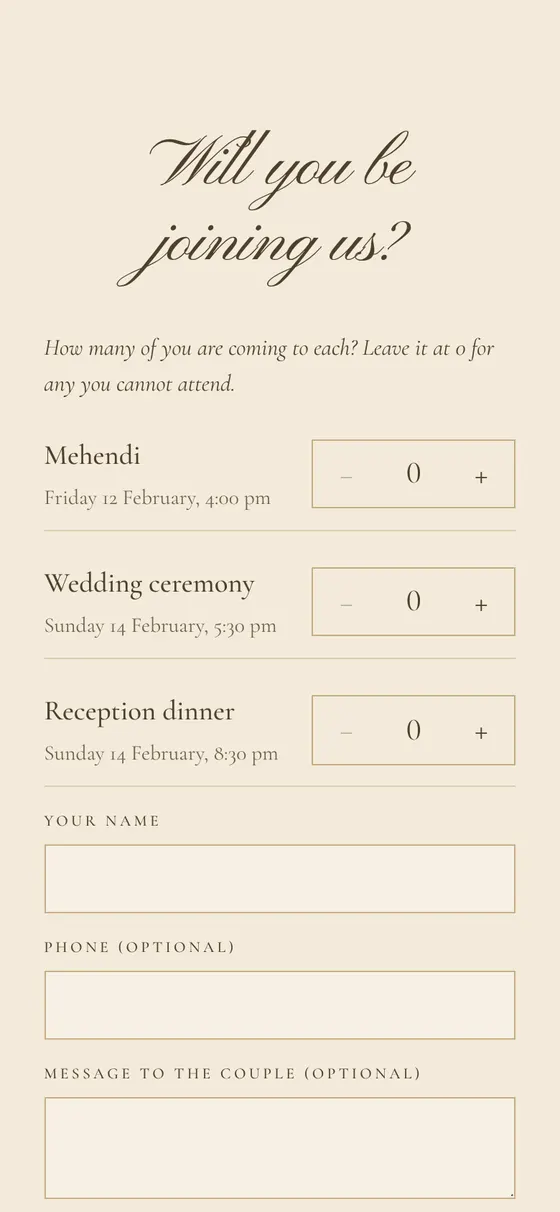
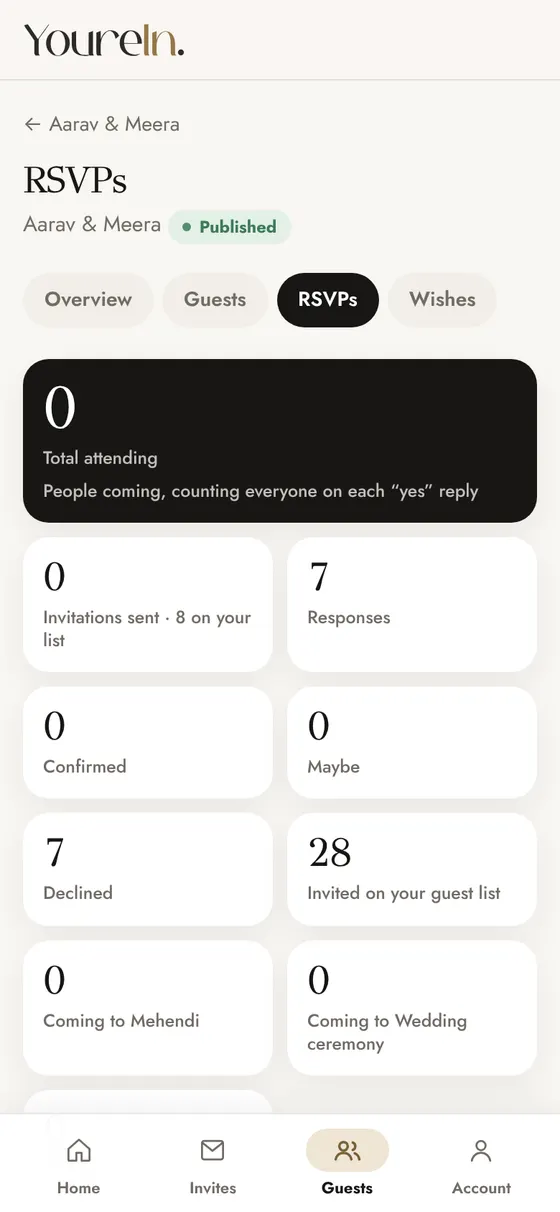
Guests say how many are coming, so your total attending is a real number.
Turn on per-event RSVP and guests give a number for every function they can see.
Ask for a meal preference or a phone number, or add up to six questions of your own.
You choose what the reply form asks. Everything below is optional except the answer itself.
The host dashboard lists every reply with the guest's name, answer and headcount, and totals the people attending. You can set a last day to reply and close RSVPs when you are done. Replies can be exported for your caterer or planner.
The public invitation never shows other guests, totals or replies. To know exactly who has not answered yet, give each family a personal link and use guest tracking.
The RSVP takes the look of the design. In Velvet Opera it is styled as a theatre ticket.